

Whether you're managing a team of 5 or 500, Workflex360 helps you stay
organized and compliant — effortlessly.

Simple, multilingual, and offline-ready time tracking built for companies operating in Germany.
WorkFlex360 was created for foreign-owned companies in Germany that manage PL/UA/RO/DE-speaking teams working on construction sites, in warehouses, logistics routes or industrial facilities. Below you’ll find a complete walkthrough of how the system works — including how NFC time tracking works, how timesheets are managed, and how the app supports multilingual and mobile teams.
NFC is the fastest and most reliable way to track working hours — with or without internet access. Employees simply tap their phone or tablet on an NFC tag or terminal, and the system records the start/end of work instantly.
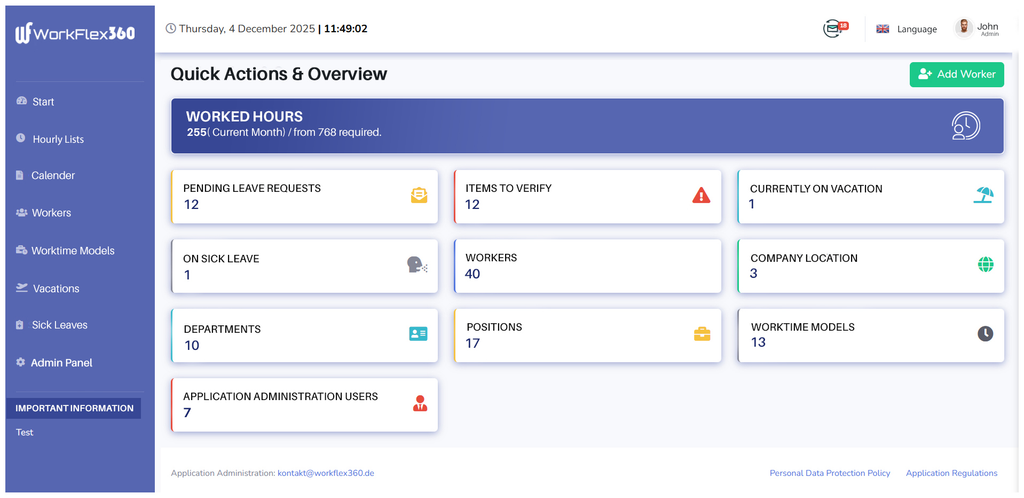
For construction site teams working without stable internet, WorkFlex360 enables offline NFC clock-ins that sync automatically when connectivity returns.
👉 Check PricingEmployees can clock in automatically via NFC or supervisors can register time manually in case of unexpected situations.
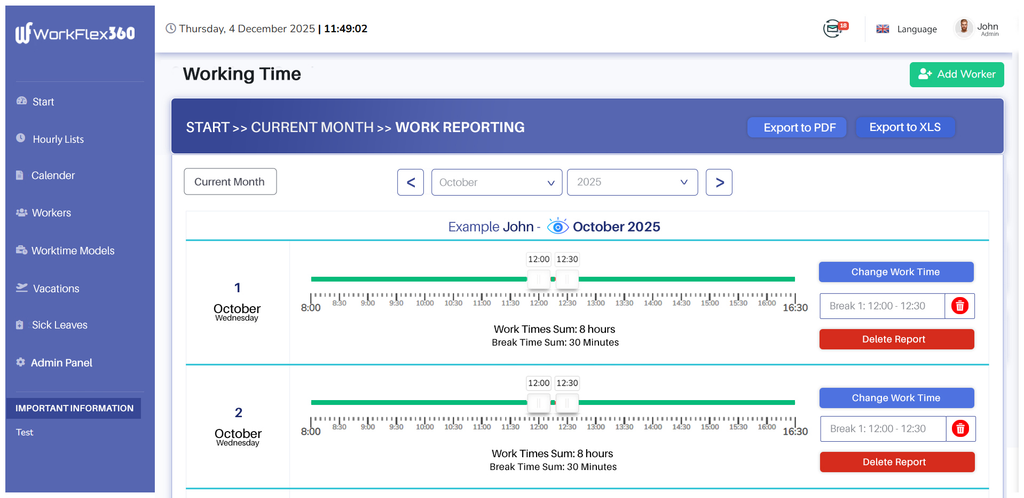
If an employee forgets to tap the NFC tag at a client site, the supervisor can still report the shift manually with correct timestamps.
👉 Request a DemoTimesheets automatically collect all clock-ins and clock-outs. Managers can filter, review, correct, export, or approve working time for each employee.
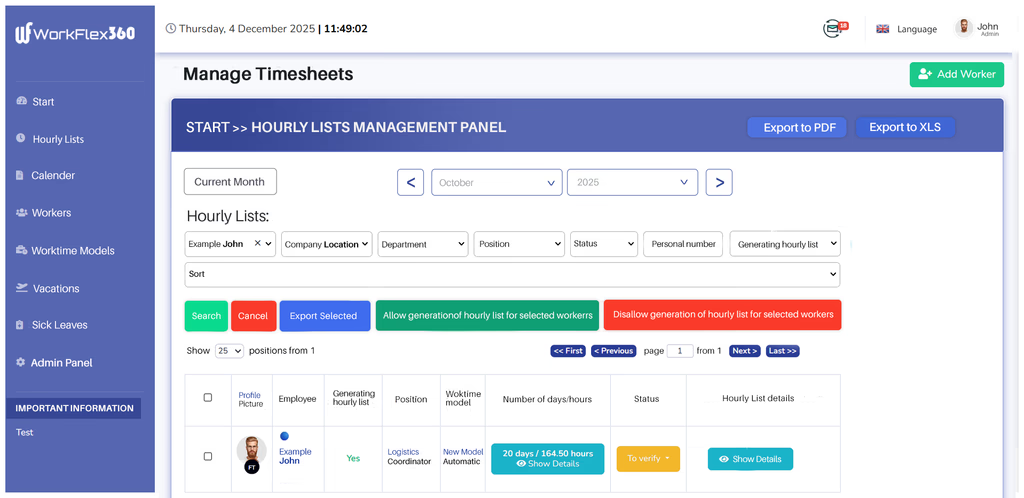
A Polish subcontractor managing 20 workers across 3 Baustellen can instantly export weekly timesheets and send them to payroll without manual calculations.
👉 Check PricingThe Calendar gives you a full overview of your team’s schedules, absences, and working hours in one place.
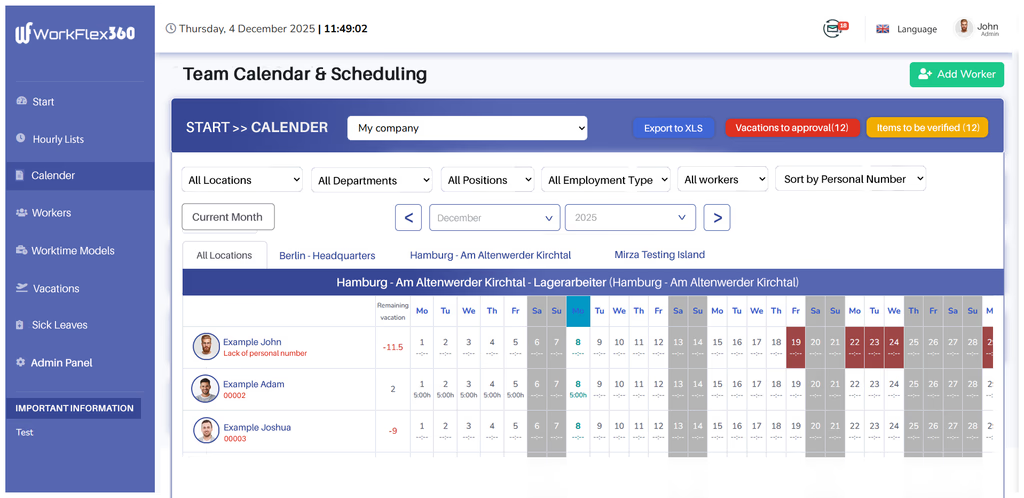
A logistics company can use the calendar to quickly assign daily routes and ensure each shift has the required number of drivers.
👉 Check PricingAdd new workers in seconds — ideal for companies working with temporary staff, subcontractors, or seasonal workers.
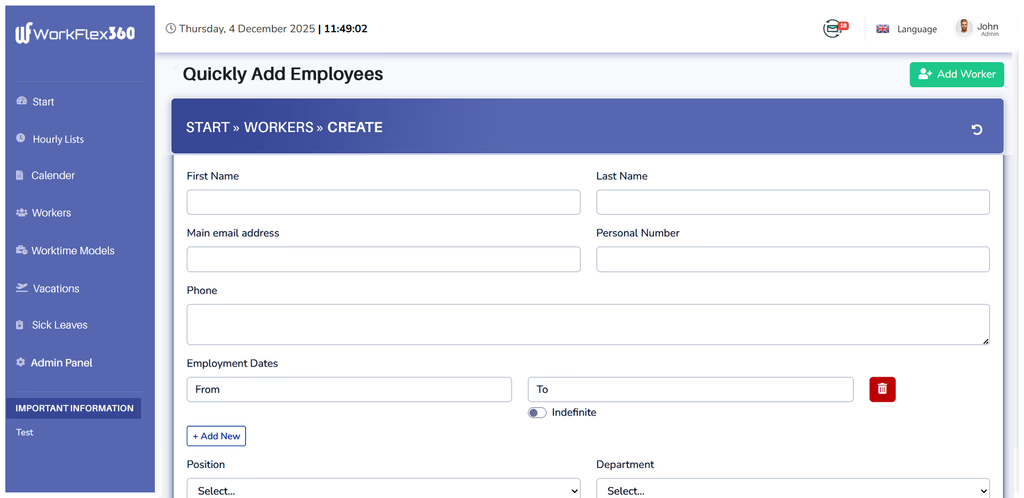
When a subcontractor hires 10 additional Ukrainian workers for a new project, they can be added to the system in under a minute.
👉 Start Free PlanCreate standard schedules or adjust working hours for individual employees.
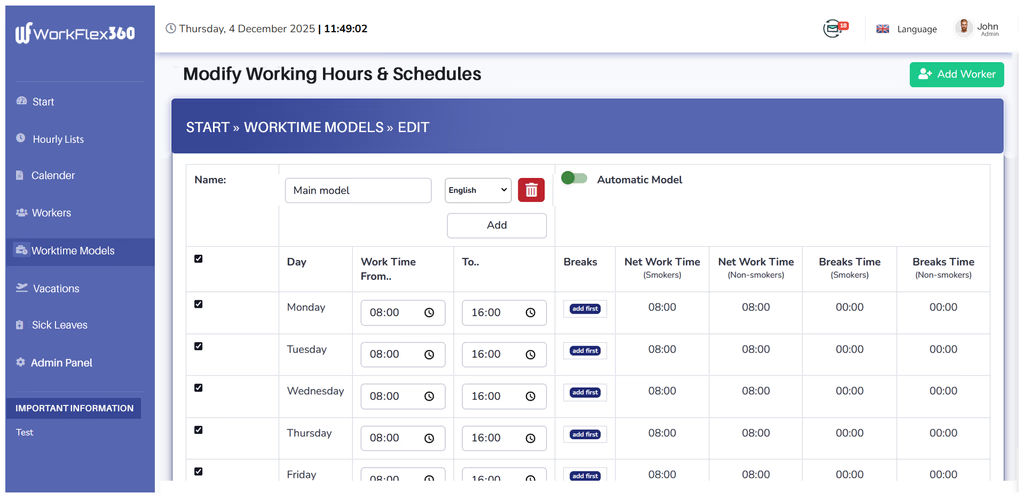
When rain delays a building project, managers can immediately shift the working schedule for all site workers with one update.
👉 Request a DemoTrack employee absences with clear approval workflows.
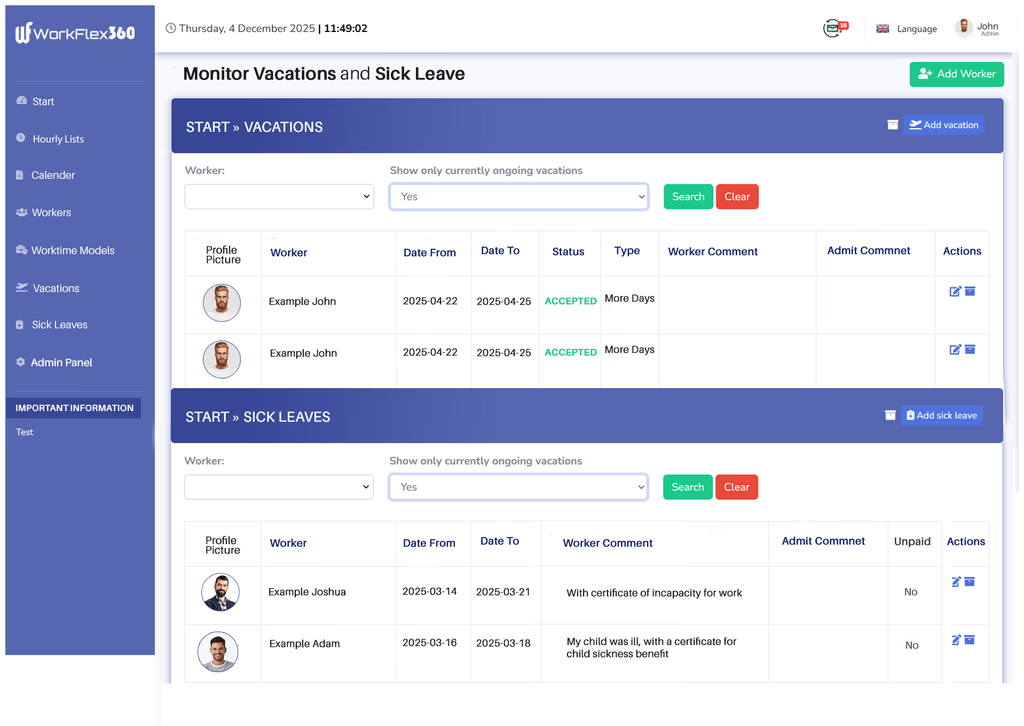
A Romanian team leader can approve sick leave from their phone and instantly see who is available to cover the shift.
👉 See Hardware OptionsAdministrators can control access permissions, manage departments, or adjust company-wide settings.
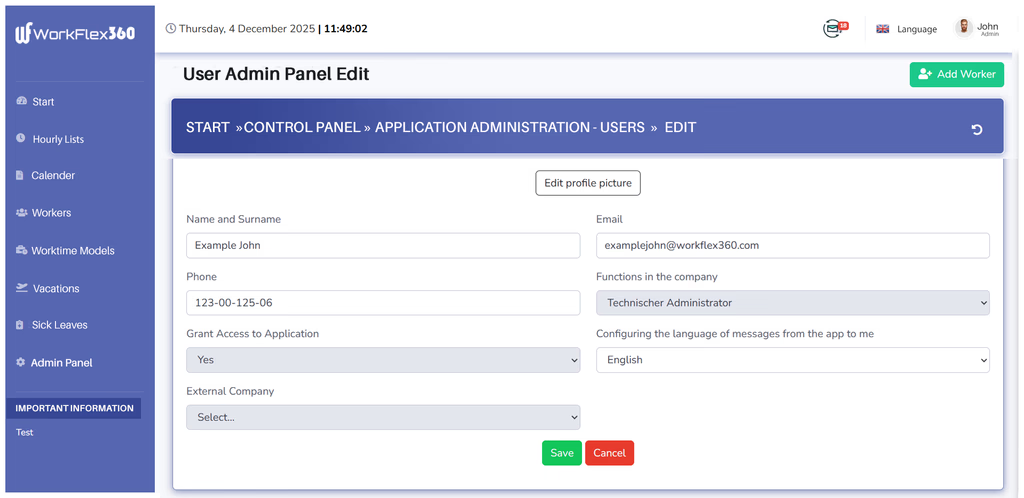
A German-based company employing workers from Poland and Ukraine can set different permissions for supervisors, dispatchers, and shift managers.
👉 Request a DemoWorkFlex360 makes time tracking for foreign companies in Germany simple, multilingual, and ready for any job site — with NFC, offline mode, and clear workflows for every team.
👉 Start Free Plan 👉 Check Pricing 👉 Request a Demo